
Did you know that the average professional spends over six hours every week just searching for lost documents on their computer? This hidden mountain of virtual debris creates unnecessary stress and drains your daily productivity.
Much like a messy desk, a cluttered hard drive makes it difficult to focus on what truly matters. You do not need a degree in computer science to regain control of your workspace.
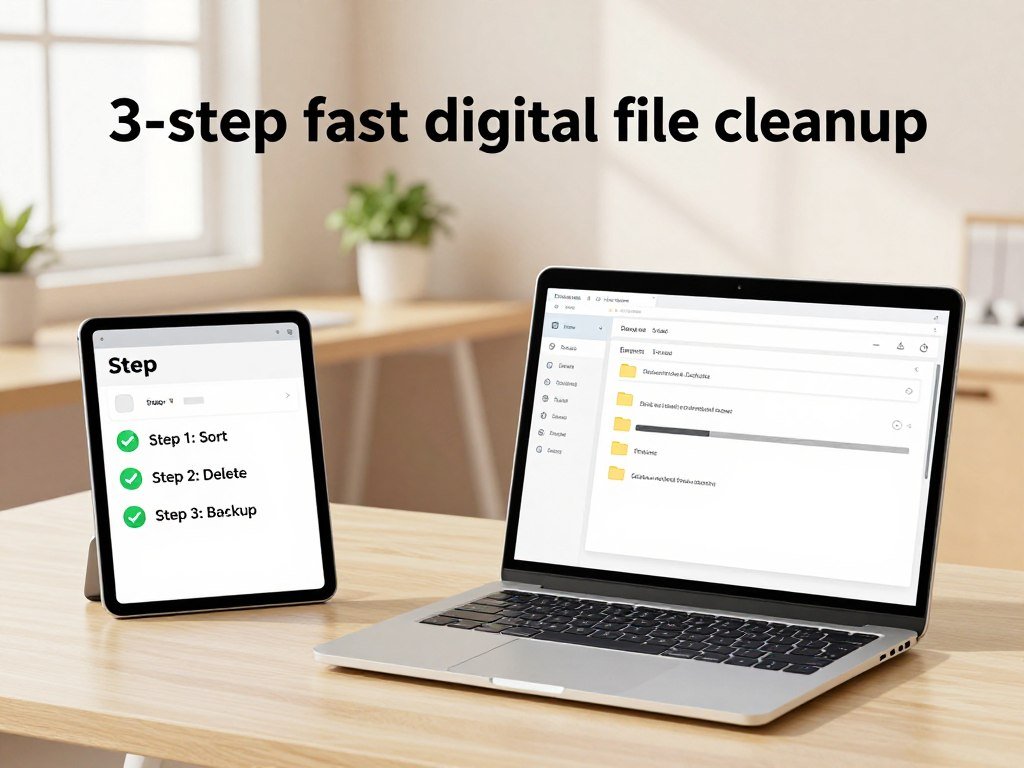
Our 3-step fast digital file cleanup offers a simple roadmap to help you reclaim your time. By following this streamlined file cleanup process, you can organize your virtual environment in minutes.
It is time to stop scrolling through endless folders and start working with clarity. Let’s transform your chaotic desktop into a hub of efficiency today.
Key Takeaways
- Digital clutter significantly reduces your daily productivity and increases stress levels.
- You can regain control of your computer without needing advanced technical skills.
- A organized virtual space helps you find important documents in seconds rather than minutes.
- Consistent maintenance prevents the accumulation of unnecessary data over time.
- Simple habits lead to a more peaceful and efficient work environment.
The Hidden Cost of Digital Clutter
Digital clutter is a silent thief that steals your time and energy every single day. While physical messes are easy to spot, digital debris often hides in plain sight within folders and email inboxes. This invisible weight can slowly drain your focus without you even realizing it.
Many users ignore these mounting files until they can no longer find essential documents. By prioritizing efficient file management, you can stop this cycle of frustration before it starts.
Understanding the Impact of File Overload
When your desktop is covered in icons and your downloads folder is a graveyard of forgotten files, your brain struggles to process information. This constant visual noise creates a mental tax that makes simple tasks feel like heavy lifting. You might find yourself wasting precious minutes searching for a single report buried under hundreds of screenshots.
This accumulation of digital waste leads to increased stress and decreased performance. A simplified file clean-up helps clear this mental fog, allowing you to regain control over your workspace. When you reduce the number of distractions, your ability to concentrate on high-priority projects improves significantly.
Why Digital Decluttering Boosts Productivity
Adopting a consistent approach to your files transforms your computer from a source of stress into a powerful tool. When you know exactly where your assets are stored, you spend less time searching and more time creating. This shift in workflow is the core benefit of efficient file management.
A simplified file clean-up routine ensures that your digital environment remains lean and functional. The following table highlights the key differences between a cluttered and an organized digital workspace.
| Feature | Cluttered Workspace | Organized Workspace |
|---|---|---|
| File Retrieval | Slow and frustrating | Instant and seamless |
| Mental Energy | High stress and fatigue | Clear focus and calm |
| System Speed | Often sluggish | Optimized performance |
| Daily Workflow | Reactive and chaotic | Proactive and structured |
Preparing Your Digital Workspace for Success
A successful digital transformation begins with gathering your scattered files into one place. Before you start deleting items, you must prepare your environment to ensure a smooth transition. By applying the 80/20 rule, you can focus your energy on the most impactful files that truly matter to your daily workflow.
This approach helps you achieve 80% of your results by targeting just 20% of your total data. Effective digital file organization requires a calm mind and a clear plan of action. When you know exactly where your files are, the entire process becomes significantly less overwhelming.
Gathering Your Digital Assets
Start by identifying all the locations where your files currently live. Check your desktop, documents folder, and any external drives that might be hiding forgotten documents. Bringing these items into a single view allows you to see the full scope of your digital footprint.
Do not worry about sorting them perfectly just yet. The goal at this stage is simply to centralize your assets so they are ready for review. This preparation phase is the foundation of an easy file sorting strategy that saves you time later.
Setting Up a Temporary Staging Folder
Once you have identified your files, create a new folder on your desktop named “Staging Area.” This folder will act as your primary workspace for the duration of your cleanup. It provides a safe, temporary home for files while you decide what to keep, archive, or delete.
Using a staging folder prevents you from accidentally losing important documents during the process. It keeps your main directories clean while you work through your easy file sorting strategy. By keeping your workspace contained, you maintain control over your digital file organization efforts from start to finish.
Step One: The Rapid Triage of Your Desktop and Downloads
Clearing your digital workspace starts with two high-traffic areas that often get ignored until they become unmanageable. By focusing on your desktop and downloads folder, you can perform a rapid digital decluttering that instantly improves your focus. These areas are the primary culprits for digital chaos in most professional environments.
“The ability to simplify means to eliminate the unnecessary so that the necessary may speak.”
Clearing the Desktop Surface
Your desktop should be a clean workspace rather than a storage unit for random files. To begin, switch your view settings to a list format, which makes it much easier to identify large or old items. This simple change allows for quick file sorting by date or file size, helping you decide what to keep or delete in seconds.
Move any files that you are not currently using into a temporary staging folder. By clearing the visual clutter, you create a calm environment that supports better concentration throughout your workday.
Processing the Downloads Folder
The downloads folder is often a graveyard for installers, PDFs, and images you only needed once. Start by sorting the contents by date to see exactly what has accumulated over the last few weeks. This quick file sorting method helps you identify outdated items that are no longer relevant to your current projects.
Once you have identified the files, move them to their permanent homes or delete them entirely. Performing this rapid digital decluttering on a regular basis prevents your system from slowing down and keeps your most important documents within easy reach.
Step Two: Implementing a 3-Step Fast Digital File Cleanup Strategy
You can transform your chaotic drive into a streamlined system using a simple, three-part framework. This 3-step fast digital file cleanup is designed to help you stop moving clutter around and start reducing your total digital footprint for good.

The Delete Phase
The first step is ruthless elimination. During this phase, you should focus on fast file purging of obvious junk, such as duplicate installers, temporary cache files, and screenshots you no longer need.
“The ability to simplify means to eliminate the unnecessary so that the necessary may speak.”
The Archive Phase
Once you have removed the junk, identify files that are no longer active but remain valuable for historical or legal reasons. Move these items into a dedicated “Archive” folder stored on an external drive or a cloud service.
By offloading these files, you keep your primary workspace light and responsive. This ensures that your active environment remains free from distracting historical data.
The Organize Phase
Finally, categorize your remaining active files into a logical structure. A clean system relies on consistency, so consider using a standard naming convention for your folders.
- Project-based folders: Group files by specific client or goal.
- Date-based folders: Use a YYYY-MM format for chronological tracking.
- Action-based folders: Separate “To-Do” items from “Completed” work.
Following this 3-step fast digital file cleanup ensures that every file has a home. When you commit to fast file purging, you reclaim your time and focus, allowing you to work with greater clarity every single day.
Step Three: Establishing Sustainable Archiving Habits
Building a lasting filing system is the final step toward digital peace of mind. Once you have cleared the initial mess, you must create a structure that supports your daily workflow. This approach to digital file organization ensures that your hard work does not go to waste as new files arrive.
Creating a Logical Folder Hierarchy
A successful system relies on a clear, intuitive structure that mimics how you think. Avoid creating too many subfolders, as this can make navigation feel like a chore. Instead, focus on broad categories that allow for speedy document organization when you are in a rush.
Consider using a top-level structure based on your primary life areas. You might organize your main folders by:
- Personal: Documents related to health, home, and family.
- Financial: Taxes, receipts, and banking statements.
- Work: Active projects, client files, and administrative records.
- Archive: Completed projects that you rarely need to access.
Naming Conventions for Future Retrieval
Even the best folder structure will fail if your files have names like “Document1” or “Final_v2.” Consistent naming acts as a powerful roadmap for your data. By using a standard format, you ensure that your speedy document organization remains effective for years to come.
Try to include essential details in every file name to make searching effortless. A reliable pattern often includes the date, the project name, and a brief description. For example, using the format YYYY-MM-DD_ProjectName_Description helps your computer sort files chronologically.
Adopting these simple habits transforms your computer from a cluttered storage bin into a highly efficient tool. When you know exactly where a file belongs, you save time and reduce stress every single day. Consistent digital file organization is the ultimate key to maintaining a clean and productive workspace.
Choosing the Right Tools for Automated Organization
Smart automation is the secret weapon for anyone looking to master their digital environment. By integrating technology into your workflow, you can maintain a clean workspace without constant manual effort. This approach ensures that your files remain orderly and accessible at all times.

Utilizing Built-in Operating System Features
Most modern operating systems come equipped with powerful tools designed to simplify your digital life. For instance, Windows offers Storage Sense, which automatically clears temporary files and manages your recycle bin. On macOS, you can leverage Smart Folders to group files based on specific criteria, which is essential for quick file sorting.
These native features are often overlooked, yet they provide a robust foundation for keeping your drive healthy. By setting up automated rules, you ensure that your system performs routine maintenance in the background. This allows for speedy document organization without requiring you to spend hours moving files manually.
“The most efficient way to manage your digital life is to let your computer handle the repetitive tasks while you focus on the creative work.”
Third-Party Software for Duplicate Detection
Sometimes, your storage becomes bloated with hidden copies of the same document or image. Third-party applications like Gemini 2 or CCleaner excel at scanning your entire drive to identify these redundant files. These tools provide a safe way to reclaim valuable space by removing duplicates that you might not even know exist.
When selecting software, look for programs that offer a preview feature before deletion. This ensures you never accidentally remove an important file during your cleanup process. Utilizing these specialized tools is a game-changer for anyone committed to maintaining a high level of speedy document organization.
Ultimately, combining native OS features with dedicated cleaning software creates a powerful defense against digital clutter. You will find that your workflow becomes much smoother when your files are perfectly indexed and free of unnecessary duplicates. Embracing these tools is the final step toward achieving a truly efficient digital workspace.
Managing Cloud Storage and Email Inboxes
Many professionals find that their cloud storage and email inboxes are the biggest sources of hidden digital bloat. While local files are easy to see, these remote platforms often accumulate data silently over time. Prioritizing a simplified file clean-up for these platforms is essential to regain control of your digital footprint.
Syncing Local Folders with Cloud Services
To maintain a unified and clean file structure, you should sync your local folders directly with services like Google Drive, Dropbox, or OneDrive. This approach ensures that your organization system remains consistent across all your devices. By mirroring your local hierarchy, you create a reliable backup that supports efficient file management without extra effort.
“Digital clutter is the silent thief of time and focus; clearing it is the first step toward true productivity.”
Cleaning Up Email Attachments
Email attachments are notorious for consuming valuable storage space that you might not even realize is full. You should regularly search for emails with large attachments and delete the ones you no longer need. This proactive habit prevents your inbox from becoming a secondary storage locker for outdated documents.
Implementing a simplified file clean-up for your email ensures that you only keep what is truly necessary. By moving important attachments to your organized cloud folders, you achieve a more manageable and efficient file management system. This simple shift keeps your communication tools fast and responsive for daily tasks.
Overcoming the Psychological Barriers to Deleting Files
Letting go of digital clutter requires more than just technical skill; it demands a shift in mindset. Many users feel a sense of anxiety when faced with the prospect of permanently removing old documents or photos. Engaging in rapid digital decluttering is often hindered by the belief that every single file might hold future value.

Addressing the Fear of Missing Out
The “packrat” mentality is a common hurdle that prevents us from maintaining a clean workspace. You may worry that deleting a file today will lead to regret tomorrow. This fear is usually unfounded, as most of the data we hoard remains untouched for years.
To move past this, try to view your files as tools rather than memories. If a file does not serve a current purpose or provide essential historical value, it is likely just taking up space. Recognizing this allows you to embrace an easy file sorting strategy that prioritizes your current needs over hypothetical future scenarios.
Setting Realistic Retention Policies
Establishing clear rules for what you keep can remove the guesswork from your cleanup process. You should define specific timeframes for how long different types of data remain on your drive. For example, temporary project files can be purged after a month, while tax documents might require a longer retention period.
By creating these boundaries, you gain the confidence to delete items without hesitation. This structured approach turns a stressful task into a simple, routine habit. Below is a guide to help you categorize your files for better management.
| File Category | Retention Period | Action Required |
|---|---|---|
| Temporary Downloads | 1 Week | Delete or Move |
| Active Projects | Duration of Project | Archive on Completion |
| Financial Records | 7 Years | Secure Cloud Backup |
| Personal Media | Indefinite | Organize into Folders |
Implementing an easy file sorting strategy helps you maintain clarity in your digital life. When you stop viewing every file as a treasure, you free up mental energy for more important tasks. Remember that a clean digital environment is the foundation for sustained productivity.
Maintaining Your New Digital Order Long-Term
Achieving a clean digital space is only the beginning of your journey toward lasting productivity. While the initial purge feels rewarding, the true challenge lies in keeping that momentum alive. By adopting a streamlined file cleanup process, you ensure that your hard work does not vanish under a new mountain of data.
Scheduling Weekly Maintenance Sessions
Consistency is the key to preventing digital chaos from returning to your desktop. Dedicating just fifteen minutes every Friday afternoon can save you hours of frustration later on. During this time, clear out your downloads folder and move any stray files into their designated homes.
Treat these sessions as a non-negotiable appointment with your future self. When you make organization a habit rather than a chore, it becomes second nature. You will find that a quick weekly review keeps your system running smoothly without requiring a massive overhaul.
“Success is the sum of small efforts, repeated day in and day out.”
Preventing Future Digital Accumulation
The best way to manage clutter is to stop it from entering your workspace in the first place. Be mindful of what you save and ask yourself if a file truly adds value to your projects. If you do not need it, delete it immediately to keep your streamlined file cleanup process effective.
Consider implementing a “one-in, one-out” rule for your most active folders. This simple practice forces you to evaluate the necessity of new files against the ones you already store. By staying vigilant, you maintain a pristine digital environment that supports your goals rather than hindering them.
Conclusion
A clean digital environment changes how you interact with your devices every single day. You gain more than just extra storage space when you commit to a tidy workspace. You clear the mental fog that comes with endless file clutter.
Adopting fast file purging turns a chaotic desktop into a streamlined tool for success. This practice is not a one-time chore. It represents a shift toward a lifestyle that values clarity and efficiency over digital accumulation.
You can maintain this sense of order by making small, consistent choices. Using tools like Dropbox or Google Drive helps keep your files synced and secure. Regular habits prevent the return of the digital mess that once slowed your workflow.
Start your journey toward digital minimalism right now. You will notice the benefits in your focus and your daily output. Embrace fast file purging to keep your virtual life as organized as your physical home. Your future self will appreciate the calm that comes with a well-managed digital library.
FAQ
How often should I perform a 3-step fast digital file cleanup?
What is the most effective way to start a rapid digital decluttering session?
Can efficient file management actually improve my computer’s speed?
What tools do you recommend for a streamlined file cleanup process?
Is there a fast file purging technique for my email inbox?
Why is speedy document organization important for remote workers?
What is a simplified file clean-up tip for people with too many photos?
How do naming conventions help in an easy file sorting strategy?

SmartLivingJournal
Prabir Dutta is a passionate digital creator, affiliate marketer, and wellness enthusiast who simplifies complex topics like AI tools, Vastu, pet care, and modern living. With a keen eye for SEO, tech trends, and everyday health solutions, he writes to empower readers with actionable, smart-living insights. When not curating content across his network of niche blogs, Prabir enjoys exploring new digital tools that make life easier and more efficient.
Keep exploring Smart Living Journal
Discover more practical ideas on wellness, home living, plants, pets, routines, and smarter everyday upgrades.