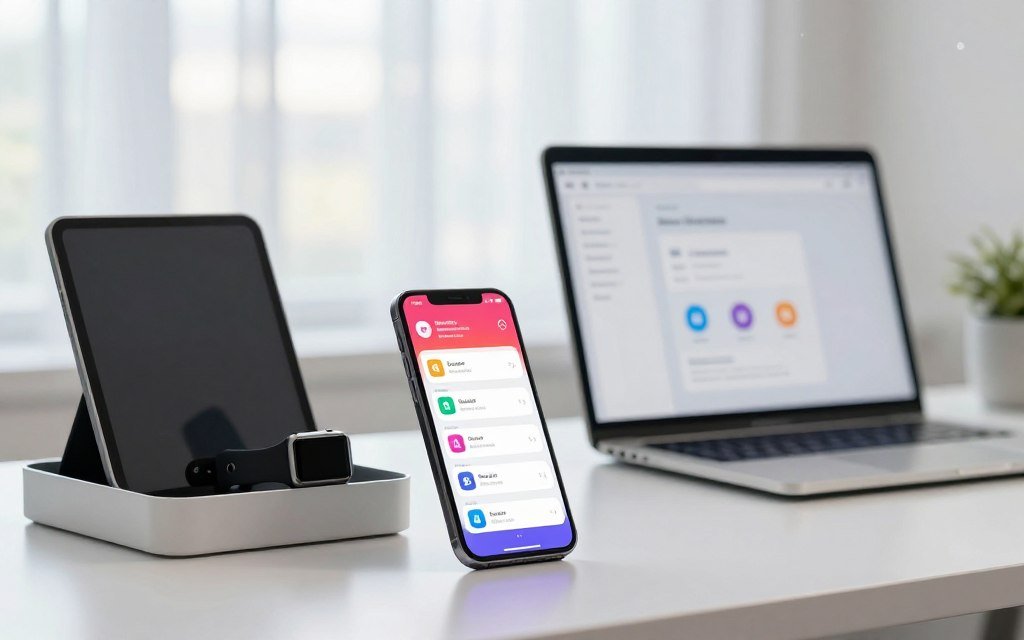
Did you know it takes nearly twenty-four minutes to refocus after just one digital interruption? Your phone chirps with a commercial alert or a social media like, and suddenly your deep focus vanishes completely. Modern tech companies often utilize these intrusive alerts to keep you glued to your screen, even when the information is not vital.
The constant buzz in your pocket can make it impossible to finish a demanding project. It is time to silence distractions and reclaim your focus before the entire afternoon disappears. You do not need to be a software expert to solve this common problem and feel more in control of your time.
This guide offers fast notification fixes that work for anyone on almost any electronic device. These steps are simple but highly effective at cutting through the digital noise surrounding our daily lives. Let’s look at how you can stop those pings and focus on what really matters right now.
Key Takeaways
- Regaining focus after an interruption takes over twenty-three minutes on average.
- App developers use alerts specifically to increase user engagement and screen time.
- Persistent digital noise significantly lowers your daily productivity and mental clarity.
- Simple device settings can block unimportant alerts without missing vital messages.
- Setting boundaries with your technology reduces stress and improves work-life balance.
- Quick adjustments to your smartphone can help you reclaim hours of lost time.
The Hidden Cost of Constant Notifications on Your Productivity
The incessant buzzing of notifications can be more than just annoying; it can be a significant productivity killer. Constant notifications lead to a state of continuous distraction, making it difficult to focus on tasks at hand.
Research has shown that when individuals are interrupted by notifications, it takes an average of 23 minutes to regain focus. This phenomenon, known as “attention residue,” highlights the significant impact notifications can have on productivity. By minimizing interruptions, individuals can better maintain their focus and achieve higher levels of productivity.
A study by the Reuters Institute for the Study of Journalism found that 79% of respondents don’t get any news alerts at all, and 43% of those are because users actively disabled the notifications. This statistic underscores the growing awareness among users about the need to manage notifications effectively to improve their productivity and reduce stress.
To understand the true cost of constant notifications, it’s essential to consider both the direct and indirect effects. Direct effects include the time spent responding to notifications, while indirect effects encompass the loss of focus and increased stress levels.
| Effect Type | Description | Impact on Productivity |
|---|---|---|
| Direct Effects | Time spent responding to notifications | Immediate loss of productivity |
| Indirect Effects | Loss of focus and increased stress | Long-term decrease in productivity and efficiency |
By implementing effective notification management strategies, individuals can significantly reduce these negative impacts. This involves not just reducing the number of notifications but also creating an environment conducive to focus and productivity.
Effective productivity tips often include strategies to minimize distractions and maximize focus. By understanding the hidden costs of constant notifications, individuals can take the first step towards creating a more productive work environment.
Why Traditional Do Not Disturb Modes Aren’t Enough
The inadequacies of traditional Do Not Disturb modes in handling the deluge of digital notifications are becoming increasingly apparent. As we strive to boost concentration and implement effective focus strategies, it’s crucial to understand why these conventional methods fall short.
The Limitations of Basic Silencing Features
Traditional Do Not Disturb modes typically offer basic silencing features that can be activated manually or scheduled. However, these features often lack the nuance required to effectively manage the diverse range of notifications we receive daily. For instance, while they might silence notifications during a set period, they don’t differentiate between important and non-essential alerts.
Recent experiments by iOS and Android with AI summaries of notifications highlight the limitations of current silencing features. These summaries can sometimes be annoying, as they may not accurately prioritize notifications or may group them in a way that doesn’t make sense to the user.
Identifying Your Personal Notification Triggers
To effectively manage notifications, it’s essential to identify your personal triggers. These are the specific types of notifications that tend to distract you the most. By understanding what triggers your compulsive checking, you can develop targeted strategies to mitigate these distractions.
- Social media updates
- Email notifications
- Messaging apps
- News alerts
The Psychology Behind Compulsive Checking
The psychology behind compulsive checking is complex and involves various psychological factors, including fear of missing out (FOMO), anxiety, and the desire for social validation. Understanding these underlying motivations is key to developing effective focus strategies.
For example, the instant gratification provided by notifications can activate the brain’s reward system, encouraging repeated behavior. By being aware of these psychological mechanisms, individuals can take steps to break the cycle of compulsive checking.

Fix 1: Master Your Device’s Native Notification Settings
The first step towards a technology detox begins with mastering your device’s native notification settings. By taking control of these settings, you can significantly improve your work environment and reduce distractions.
Both iOS and Android devices offer robust notification management systems that, when properly configured, can help you stay focused on your tasks. Let’s dive into how you can optimize these settings on your device.
Taking Control of iPhone Notifications
iPhone users can leverage the built-in “Notifications” settings to manage how and when they receive alerts. To start:
- Go to Settings > Notifications to view all apps that can send notifications.
- For each app, you can choose to allow or block notifications, and customize the notification style.
- Use the “Do Not Disturb” feature to silence notifications during specific times or events.
As noted by tech experts, “Customizing your notification settings is key to minimizing distractions and maximizing productivity.”
“The key to productivity is not about working more hours, it’s about working smarter and being more intentional with your time.”
Optimizing Android Notification Management
Android devices also offer comprehensive notification management features. Here’s how to make the most of them:
- Navigate to Settings > Notifications to manage app notifications.
- Android’s “Do Not Disturb” mode can be customized to allow exceptions for certain contacts or apps.
- Use “Notification Channels” to control specific types of notifications from apps that support this feature.
By mastering your device’s native notification settings, you’re taking a significant step towards creating a more focused and productive work environment. This is just the first fix; the next steps will involve app-level controls and third-party tools to further enhance your ability to concentrate.
Fix 2: Implement Smart App-Level Controls
Beyond device-level settings, customizing app notifications can significantly reduce distractions. While mastering your device’s native notification settings is a crucial first step, individual apps often have their own notification systems that can be fine-tuned for optimal productivity.

Taming Email Notification Overload
Email notifications can be a significant source of distraction. To tame this, start by adjusting the notification settings within your email app. Most email services allow you to customize notifications based on the sender, subject, or priority of the email. For instance, you can set your email app to notify you only for emails from specific contacts or with certain keywords in the subject line.
Key strategies for managing email notifications include:
- Setting up filters to automatically sort and prioritize emails
- Using ‘priority inbox’ features if available
- Customizing notification sounds or vibrations for different types of emails
- Disabling notifications for newsletters or promotional emails
Customizing Social Media and Messaging Apps
Social media and messaging apps are another common source of notifications. To silence distractions from these apps, explore their notification settings. For example, you can often customize notifications for different types of interactions, such as likes, comments, or messages.
Consider the following adjustments:
- Turning off notifications for non-essential activities
- Setting ‘quiet hours’ or ‘do not disturb’ modes within the apps
- Limiting notifications to direct messages only
- Using app-specific features like Facebook’s “Notification Dots” or Twitter’s “Quality Filter”
By implementing these smart app-level controls, you can significantly reduce the number of unnecessary notifications, helping you to silence distractions and focus on what’s important. This, combined with the device-level changes, forms a powerful fast notification fix that can boost your productivity.
Fix 3: Deploy Third-Party Focus Enhancement Tools
Taking your focus to the next level requires leveraging third-party tools designed to minimize distractions. While native device settings provide a good foundation, third-party applications offer advanced features and customization options to further enhance your productivity.
Desktop Applications for Distraction Blocking
Desktop applications are particularly effective for managing distractions on your computer. Tools like Freedom and Cold Turkey allow you to block distracting websites and applications across all your devices. These apps provide a robust solution for those who struggle with self-control when it comes to digital distractions.
For instance, Freedom blocks distracting websites and apps across all your devices, while Cold Turkey offers advanced features like scheduling and custom block lists. According to a study, using such tools can lead to a significant improvement in productivity.
“The ability to concentrate is a skill that can be developed with practice, and tools like Freedom can significantly aid in this process.”
| Tool | Key Features | Platform |
| Freedom | Blocks distracting websites and apps, syncs across devices | Windows, Mac, iOS, Android |
| Cold Turkey | Custom block lists, scheduling, advanced blocking | Windows, Mac |
Mobile Apps That Reinforce Focus Habits
On mobile devices, apps like Notification Blocker for Android can help manage unwanted notifications, allowing you to stay focused on tasks. For iOS users, apps like Focus@Will provide music specifically designed to enhance concentration.
These mobile apps complement desktop applications by ensuring that your focus is maintained across all your devices. By combining these tools, you can create an ecosystem that supports your productivity goals.
By integrating these third-party focus enhancement tools into your daily routine, you can significantly reduce distractions and improve your overall productivity. Whether you’re using desktop applications or mobile apps, the key is to find the right combination that works for you.
Silence Distractions: 3 Fast Notification Fixes Implementation Timeline
A well-structured plan is essential for minimizing interruptions and maximizing focus. Implementing the three fast notification fixes requires a systematic approach to achieve lasting results.
Days 1-2: Audit Your Current Notification Situation
Begin by assessing your current notification setup. Review all apps on your devices and identify which ones generate the most notifications. Consider using a notification log to track the types of notifications you receive over a 48-hour period. This will help you understand your notification patterns and identify areas for improvement.
- List all apps that send you notifications.
- Note the frequency and type of notifications from each app.
- Identify which notifications are essential and which can be silenced.
Days 3-5: Implement Device-Level Changes
With your notification audit in hand, it’s time to make device-level changes. For both iOS and Android devices, adjust your notification settings to limit distractions. Prioritize notifications from essential contacts and apps, and silence or delete the rest.
For iPhone users, this involves navigating to Settings > Notifications and customizing the notification settings for each app. Android users can achieve similar results by going to Settings > Apps & notifications.
Days 6-10: Fine-Tune App-Specific Settings
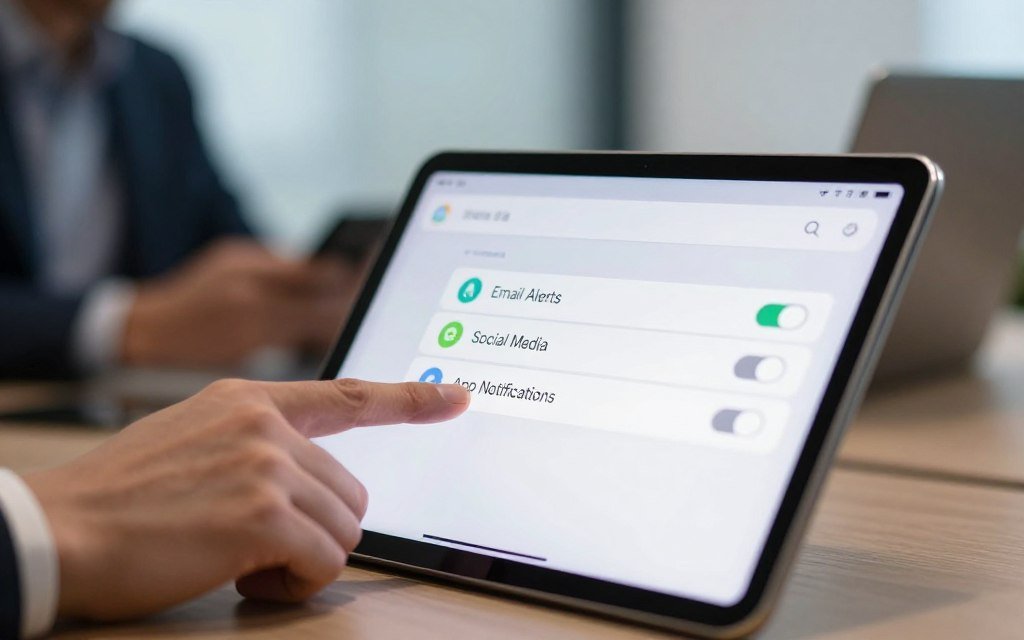
Delve deeper into individual app settings to further minimize interruptions. Many apps, especially social media and email clients, offer granular notification controls. For instance, you can configure your email app to only notify you about messages from specific senders or with certain keywords.
Days 11-14: Test Third-Party Tools and Establish Routines
In the final phase, explore third-party tools designed to boost concentration and reduce distractions. This could include apps that block distracting websites or desktop applications that help you stay on track. Establish routines around your notification management, such as daily focus times or regular breaks from your devices.
By the end of this two-week period, you should notice a significant reduction in distractions and an improvement in your ability to focus. Remember, the key is consistency and being intentional with your notification settings.
By following this structured timeline, you’ll be well on your way to minimizing interruptions and boosting your concentration.
Creating a Distraction-Free Work Environment Beyond Digital Notifications
To truly boost productivity, it’s essential to create a work environment that fosters deep focus. While managing digital notifications is a significant step, it’s equally important to address the physical and interpersonal aspects of your workspace.
Optimizing Your Physical Workspace for Deep Focus
Your physical workspace plays a crucial role in your ability to concentrate. Decluttering your desk and organizing your workspace can significantly reduce distractions. Consider using ergonomic furniture to enhance comfort and reduce fatigue.
Natural light is also a critical factor. If possible, position your workspace near a window to benefit from natural illumination, which can boost mood and productivity.
Establishing Communication Boundaries with Colleagues
Effective communication is vital in any work environment, but it can also be a source of distraction. Setting clear boundaries with your colleagues can help minimize interruptions. This can include designating “focus hours” where you are not to be disturbed unless absolutely necessary.
Using visual cues, such as a “do not disturb” sign or a specific status on your communication tools, can also help signal to your colleagues when you are in deep work mode.
Designing Scheduled Availability Windows
Scheduling your availability can help you stay focused during certain periods while ensuring you’re accessible when needed. Identify your most productive hours and protect them for deep work.
For the rest of the time, make yourself available for meetings and collaborations. This balance between focused work and collaborative time can significantly improve your work environment and overall productivity.
By implementing these strategies, you can create a work environment that supports your productivity goals and helps you achieve a better technology detox from unnecessary distractions.
Measuring Your Focus Improvement and Productivity Gains
As you implement the notification fixes, it’s essential to track your progress and measure the impact on your focus and productivity. By monitoring key metrics, you can determine the effectiveness of your new strategies and make adjustments as needed.
To get a comprehensive view of your progress, consider tracking the following metrics:
Tracking Weekly Screen Time Reductions
One of the most straightforward ways to measure improvement is by tracking your screen time. By reducing unnecessary notifications, you should see a decrease in the time spent on your devices. Use built-in features or third-party apps to monitor your screen time and note any reductions.
Counting Daily Deep Work Sessions
Deep work refers to focused, uninterrupted work sessions. Tracking the number of deep work sessions you complete daily can help you understand how well you’re able to concentrate. Aim to increase the number of deep work sessions over time.
Evaluating Task Completion Quality and Speed
As you become more focused, you should notice improvements in the quality and speed of your task completion. Keep a record of your tasks and assess how well you’re performing. You can use a table like the one below to track your progress:
| Task | Initial Completion Time | Current Completion Time | Quality Rating |
|---|---|---|---|
| Project Report | 4 hours | 2.5 hours | 9/10 |
| Client Presentation | 3 hours | 2 hours | 8.5/10 |
| Email Management | 2 hours | 1 hour | 9.5/10 |
Monitoring Stress Levels and Mental Clarity
Reducing distractions should also lead to lower stress levels and improved mental clarity. Take time to reflect on your mental state and note any changes. You can use a simple scale to rate your stress levels and mental clarity daily.
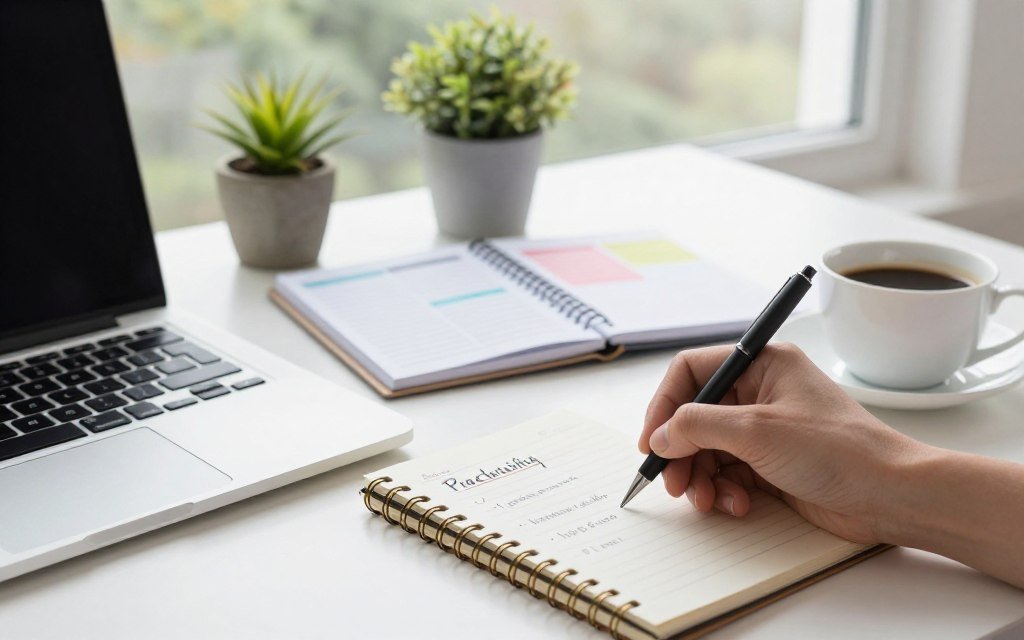
By regularly monitoring these metrics, you’ll be able to see the tangible benefits of your efforts to silence distractions and improve your focus. This data will help you refine your strategies and make informed decisions about your productivity habits.
Remember, the key to sustained improvement is consistent tracking and adjustment. Stay committed to your goals, and you’ll continue to see gains in your productivity and focus.
Common Mistakes When Silencing Notifications and How to Avoid Them
The journey to silence distractions is often fraught with errors, but knowing what they are can help you navigate them successfully. As you implement strategies to minimize interruptions, it’s crucial to be aware of the common pitfalls that can undermine your efforts.
Over-Filtering and Missing Critical Communications
One of the most significant mistakes when silencing notifications is over-filtering, which can lead to missing critical communications. While the goal is to reduce noise, being too aggressive with filtering can have unintended consequences.
To avoid this, it’s essential to strike a balance between filtering out non-essential notifications and ensuring that important messages get through. Regularly review your notification settings to ensure they are aligned with your priorities.
Forgetting to Set Emergency Contact Exceptions
Another critical mistake is forgetting to set emergency contact exceptions. Even with silenced notifications, it’s vital to allow messages from important contacts to get through.
Configure your device to allow notifications from specific contacts or apps during certain times or events. This way, you can stay connected with those who matter most while maintaining your focus.
Failing to Inform Others About Your Availability Changes
Failing to inform others about your availability changes can lead to misunderstandings and impact your relationships or work. When you silence notifications and change your availability, it’s essential to communicate these changes to relevant parties.
Update your status on communication platforms, inform your colleagues and family about your focus times, and set clear expectations for when you are available.
Giving Up Too Soon Before Habits Form
Giving up too soon is another common mistake. Forming new habits takes time, and it’s normal to experience challenges when adjusting to a new notification management system.
To overcome this, commit to your new strategies for at least a few weeks before assessing their effectiveness. Use this period to fine-tune your settings and develop habits that support your goals.
| Mistake | Consequence | Solution |
|---|---|---|
| Over-filtering | Missing critical communications | Regularly review notification settings |
| Forgetting emergency contact exceptions | Missing important messages | Configure exceptions for important contacts |
| Failing to inform others | Misunderstandings and impacted relationships | Communicate availability changes to relevant parties |
| Giving up too soon | Failing to develop new habits | Commit to new strategies for a few weeks |
Conclusion
By implementing the three fast notification fixes outlined in this article, you can significantly boost concentration and reclaim control over your digital life. Mastering your device’s native notification settings, implementing smart app-level controls, and deploying third-party focus enhancement tools are crucial steps toward achieving a distraction-free work environment.
As you maintain this environment, you’ll notice improvements in your productivity and overall well-being. By minimizing unwanted notifications, you’ll be able to focus on tasks that matter most, leading to better work quality and reduced stress levels.
Start your journey to a more focused you today by putting these fast notification fixes into practice. With persistence and the right strategies, you can overcome the challenges of constant notifications and unlock your full potential.
FAQ
Why are basic Do Not Disturb modes often insufficient to silence distractions?
What are the best fast notification fixes for someone with a busy schedule?
How can I minimize interruptions from work-related apps like Slack or Microsoft Outlook?
Are third-party tools necessary for a successful technology detox?
What is the biggest mistake people make when trying to improve their focus strategies?
How do I know if these productivity tips are actually working?
Can changing my physical space help silence distractions as much as digital fixes?
🌐 Explore the Smart Digital Network
A connected ecosystem of innovative platforms — empowering your journey through Smart Living, AI Automation, Wellness, Reviews, and Digital Learning. Discover more from our network below 👇



Part of the Smart Digital Network © 2025 — Explore, Learn & Grow Smarter 💡

Prabir Dutta
Prabir Dutta is a passionate digital creator, affiliate marketer, and wellness enthusiast who simplifies complex topics like AI tools, Vastu, pet care, and modern living. With a keen eye for SEO, tech trends, and everyday health solutions, he writes to empower readers with actionable, smart-living insights. When not curating content across his network of niche blogs, Prabir enjoys exploring new digital tools that make life easier and more efficient.







 SuperFreeTools

 SmartAIEarn

 SmartWellnessBeauty


 TrendsOfReview