
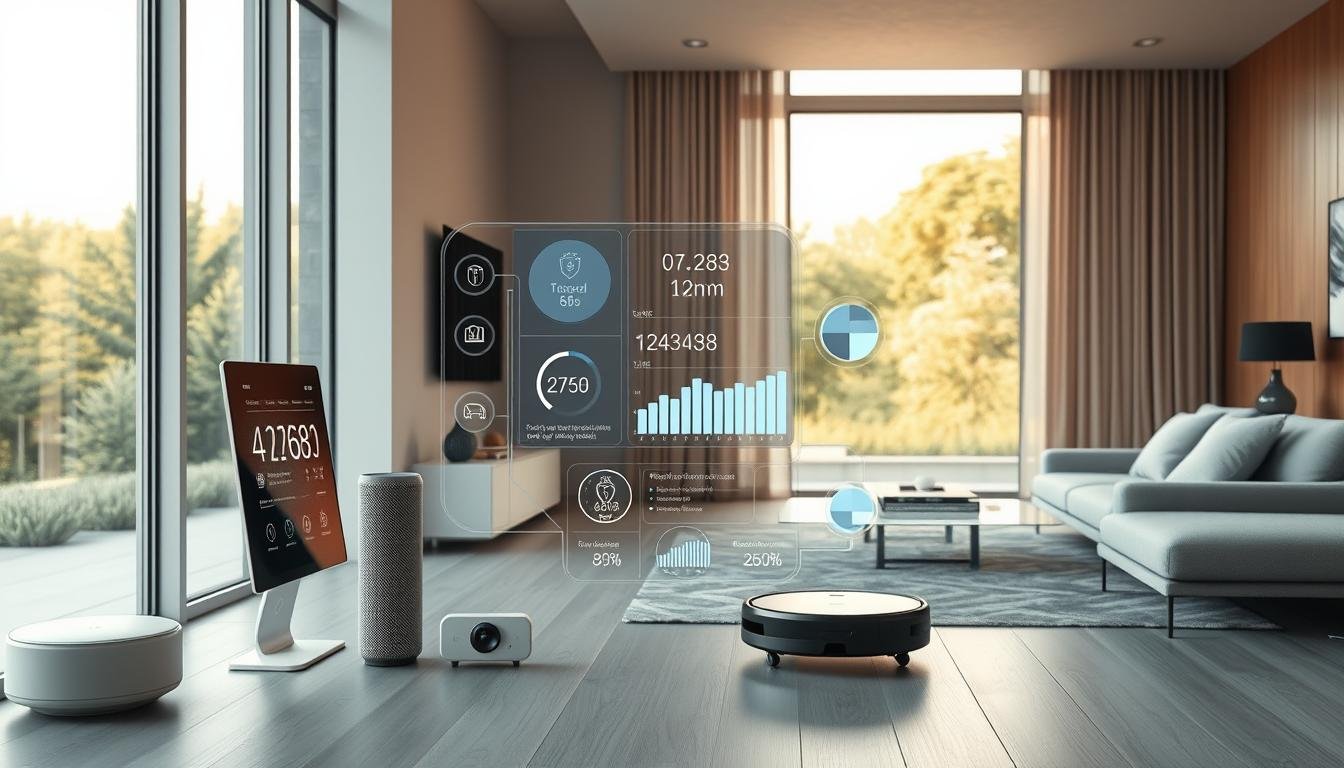
Imagine a home where your daily routines are streamlined, your family stays connected, energy is saved, and your living space is secure. With over 45% of households in the United States expected to adopt smart home technology by 2026, the trend is clear: a connected home is no longer a luxury, but a desirable norm.
Turning your home into a smart home ecosystem can seem daunting, but with the right guidance, it can be a straightforward process. By integrating the right devices and systems, you can enhance your home’s functionality, making it more comfortable, efficient, and secure.
Key Takeaways
- Understand the benefits of a smart home ecosystem
- Learn the key components required for a smart home setup
- Get started with setting up your smart home in 2026
- Discover tips for creating a seamless smart home experience
- Explore the latest smart home technologies available
What is a Smart Home Ecosystem?
As technology advances, the idea of a smart home ecosystem is becoming increasingly popular, offering numerous benefits for homeowners. A smart home ecosystem refers to a network of devices that work together to make your life easier, more convenient, and more enjoyable.
Definition of Smart Home
A smart home is a residence that integrates advanced technology to enhance the quality of living, convenience, and energy efficiency. It involves the use of smart devices that can be controlled remotely or operate automatically based on certain conditions.
Key Components of a Smart Home
The key components of a smart home ecosystem include:
- A central hub or controller that connects all devices
- Smart devices such as thermostats, lighting systems, security cameras, and door locks
- A reliable network connection, such as Wi-Fi, Zigbee, or Z-Wave, to facilitate communication between devices
These components work together to create a seamless and automated living experience.
Benefits of a Smart Home Ecosystem
The benefits of a smart home ecosystem are numerous. Some of the most significant advantages include:
- Increased convenience: Control your devices remotely or automate tasks to simplify your daily routine.
- Energy efficiency: Optimize energy consumption by automating lighting and temperature controls.
- Enhanced security: Monitor your home with security cameras and receive alerts in case of suspicious activity.
By integrating these devices and systems, homeowners can enjoy a more comfortable, secure, and efficient living space.
Planning Your Smart Home Setup
As you embark on setting up your smart home, careful planning is crucial to ensure a seamless and efficient experience. A well-planned setup not only enhances your living experience but also ensures that your devices work harmoniously together.
Assessing Your Needs
The first step in planning your smart home setup is to assess your needs. Identify the areas of your home that you want to automate or control. Consider what devices you currently use and how you can integrate them into your smart home ecosystem. Think about your daily routines and how smart devices can make your life more convenient.
For instance, you might want to start with smart lighting to control the ambiance and energy efficiency of your home. Or, you might prioritize smart security systems to enhance your home’s safety. Make a list of your priorities to guide your purchasing decisions and setup process.
Creating a Budget
Once you have identified your needs, it’s essential to create a budget for your smart home setup. Determine how much you are willing to spend on devices, hubs, and any additional services like subscription-based monitoring. Consider the cost of essential devices and potential long-term savings.
As Forbes notes, “Investing in smart home devices can lead to significant savings on energy bills and increased property value.” Setting a budget will help you make informed decisions and avoid overspending on unnecessary features.
Determining Your Smart Home Goals
Defining your smart home goals is crucial to creating a focused and effective setup. Are you looking to enhance energy efficiency, improve home security, or simply enjoy the convenience of voice control? Your goals will guide your choice of devices and systems.
“The future of smart homes is not just about having the latest gadgets; it’s about creating a living space that adapts to your lifestyle and makes your life easier.”
By understanding your goals, you can select the best smart home products for beginners and ensure that your setup meets your needs. Whether you’re looking to automate simple tasks or create a comprehensive smart home ecosystem, having clear goals will help you achieve a successful setup.
Choosing the Right Hub
Selecting the right smart hub is a crucial step in building a cohesive smart home ecosystem. A smart hub acts as the central controller, connecting and managing various smart devices. With numerous options available in 2026, it’s essential to consider several factors before making a decision.
Popular Smart Hubs in 2026
The market offers a variety of smart hubs, with Google Home, Amazon Alexa, and Samsung SmartThings being among the most popular. Each of these hubs has its unique features and compatibility with various devices.
- Google Home is known for its seamless integration with Google services and Android devices.
- Amazon Alexa offers a wide range of compatible devices and skills, making it a versatile choice.
- Samsung SmartThings is praised for its broad compatibility with devices from multiple manufacturers.
Features to Look for in a Hub
When choosing a smart hub, consider the features that matter most to you. Some key features include:
- Voice control: The ability to control your devices using voice commands.
- Device compatibility: Ensure the hub is compatible with the devices you already own or plan to purchase.
- Automation capabilities: The ability to create routines and automate tasks can significantly enhance your smart home experience.
- User interface: A user-friendly app or interface is crucial for managing your smart home.
Compatibility with Other Devices
One of the most critical factors in choosing a smart hub is its compatibility with other devices. A hub that supports multiple protocols such as Zigbee, Z-Wave, and Wi-Fi can connect a broader range of devices. Check the manufacturer’s list of compatible devices to ensure it meets your needs.
By carefully considering these factors, you can select a smart hub that integrates seamlessly with your devices, enhancing your overall smart home experience.
Essential Smart Home Devices
Smart home devices are the backbone of a connected living space, offering convenience, security, and energy efficiency. These devices can be controlled remotely and work together to create a seamless smart home experience.
Smart Speakers and Voice Assistants
Smart speakers like Amazon Echo and Google Home allow for voice control, making it easy to manage your smart home devices. They can play music, set alarms, and even control other smart devices with just your voice.
“The future of smart homes is all about voice control,” says a leading smart home expert. “With devices like Amazon Echo, you can control your entire home with just your voice.”
Smart Lighting Options
Smart lighting options, such as Philips Hue, provide energy-efficient lighting that can be adjusted according to your needs. They can be programmed to turn on/off automatically, enhancing both convenience and security.

Smart Thermostats and HVAC Controls
Smart thermostats like Nest learn your temperature preferences and adjust the temperature accordingly, saving energy and enhancing comfort. They can be controlled remotely, ensuring your home is at the right temperature when you arrive.
Smart Security Systems
Smart security systems offer advanced security features, including real-time alerts, video surveillance, and remote monitoring. Brands like Ring provide doorbells with cameras, enhancing home security.
- Real-time alerts for suspicious activity
- Video surveillance for peace of mind
- Remote monitoring from your smartphone
Connectivity Options for Your Smart Home
Establishing a reliable network connection is the backbone of a smart home ecosystem. With various devices needing to communicate with each other and the cloud, the right connectivity option can make all the difference in the performance and security of your smart home.
Wi-Fi vs. Zigbee vs. Z-Wave
When it comes to smart home connectivity, you have several options: Wi-Fi, Zigbee, and Z-Wave. Each has its strengths and weaknesses.
- Wi-Fi: Offers high-speed data transfer and is widely supported. However, it can consume more power and may not be ideal for low-power devices.
- Zigbee: A low-power, low-data-rate protocol suitable for devices that don’t require high bandwidth. It’s known for its reliability and mesh networking capabilities.
- Z-Wave: Similar to Zigbee, Z-Wave is designed for home automation and offers a reliable, low-power alternative for device communication.
Choosing between these options depends on your specific smart home devices and their requirements.
Setting Up a Reliable Network
To ensure your smart home operates smoothly, setting up a reliable network is crucial. Here are some tips:
- Use a robust router: Invest in a high-quality router that can handle the number of devices in your smart home.
- Optimize your router’s location: Place your router in a central location to ensure even coverage throughout your home.
- Use Wi-Fi extenders or mesh networks: If you have a large home or experience dead spots, consider using Wi-Fi extenders or setting up a mesh network.
Importance of Internet Speed
Internet speed plays a significant role in the performance of your smart home. A faster internet connection can support more devices and reduce latency.
- Check your internet plan: Ensure your internet plan is sufficient for the number of devices you have.
- Monitor your network: Regularly check your network’s performance and adjust as necessary.
By understanding your connectivity options and setting up a reliable network, you can enjoy a seamless smart home experience.
Integration of Devices
The key to a smart home lies in the integration of its devices and systems. A well-integrated smart home ecosystem enables you to control multiple devices from a single interface, making your life more convenient and efficient.
Connecting Devices to Your Smart Hub
To start integrating your devices, you need to connect them to your smart hub. This central device acts as the brain of your smart home, allowing different devices to communicate with each other. Most smart hubs support various connectivity options such as Wi-Fi, Zigbee, and Z-Wave, ensuring compatibility with a wide range of devices.
When connecting devices, ensure they are compatible with your smart hub. Check the manufacturer’s specifications to confirm compatibility. For instance, if you’re using a Philips Hue smart lighting system, ensure your hub supports Zigbee, the protocol used by Philips Hue.
| Device Type | Common Protocols | Compatibility Check |
|---|---|---|
| Smart Lighting | Zigbee, Wi-Fi | Check if your hub supports Zigbee or Wi-Fi |
| Smart Thermostats | Wi-Fi, Z-Wave | Verify if your hub is compatible with Wi-Fi or Z-Wave |
| Smart Security Cameras | Wi-Fi | Ensure your hub supports Wi-Fi connectivity |
Using Mobile Apps for Control
Once your devices are connected to the smart hub, you can control them using mobile apps. Most smart devices come with their own apps that allow you to monitor and control the device remotely. For example, you can adjust your thermostat or turn off lights using your smartphone.
Benefits of Mobile App Control:
- Remote access to your devices
- Real-time monitoring
- Customizable notifications

Creating Automation Routines
Automation routines are a powerful feature of smart home integration. By creating routines, you can automate various tasks, such as turning on lights when you enter a room or adjusting the thermostat based on the time of day. This not only enhances convenience but also improves energy efficiency.
To create an automation routine, you typically use your smart hub’s app or a third-party automation service. For instance, you can set a routine that locks all doors and turns off lights when you say “Goodnight” to your voice assistant.
Example of Automation Routine:
- Trigger: “Good morning” command to your voice assistant
- Actions: Open blinds, turn on lights, start coffee maker
By integrating your devices and creating automation routines, you can significantly enhance your smart home experience, making it more convenient, efficient, and enjoyable.
Voice Control in Your Smart Home
Voice control is at the forefront of smart home innovation, offering unparalleled convenience. With the ability to manage your devices using just your voice, you can enhance your smart home experience significantly.
Setting Up Voice Assistants
To start using voice control, you need to set up a voice assistant. Popular options include Amazon Alexa and Google Assistant. These assistants can be integrated with various smart devices, allowing for seamless control.
Steps to Set Up Your Voice Assistant:
- Choose a voice assistant that fits your ecosystem.
- Download and install the corresponding app.
- Follow the in-app instructions to connect your devices.
Commands and Control
Once your voice assistant is set up, you can begin using voice commands to control your devices. This includes turning lights on and off, adjusting thermostats, and playing music.
| Device | Sample Voice Command |
|---|---|
| Smart Lights | “Turn on the living room lights.” |
| Smart Thermostat | “Set the temperature to 72 degrees.” |
| Smart Speaker | “Play some relaxing music.” |
Popular Voice-Activated Devices
Several devices are compatible with voice assistants, enhancing your smart home experience. Some popular options include:
- Amazon Echo: Compatible with Alexa, offering a wide range of skills.
- Google Home: Integrates with Google Assistant, providing seamless control.
- Apple HomePod: Works with Siri, offering high-quality audio.
By integrating these devices with your voice assistant, you can achieve a highly automated and convenient smart home environment.
Smart Home Security Considerations
As you build your smart home ecosystem, security should be a top priority to ensure your devices and data are protected. A secure smart home is not just about protecting your devices; it’s also about safeguarding your family’s privacy and safety.
Best Practices for Security
To ensure your smart home is secure, follow best practices such as using strong passwords and enabling two-factor authentication. This adds an extra layer of security, making it harder for unauthorized users to access your devices.
- Use unique passwords for each device and account.
- Enable two-factor authentication whenever possible.
- Regularly update your devices’ firmware to patch security vulnerabilities.
What to Look for in Smart Locks
Smart locks are a crucial component of smart home security. When choosing a smart lock, consider features such as biometric authentication, remote monitoring, and alert systems. These features enhance the security and convenience of your smart lock.

Some popular smart locks offer advanced features like keyless entry and temporary access codes for guests.
Monitoring Systems and Cameras
Monitoring systems and cameras are vital for keeping an eye on your home. Look for systems with high-definition video, night vision, and motion detection. These features help you monitor your home effectively, both day and night.
- Choose cameras with a wide-angle lens for broader coverage.
- Consider cameras with weather resistance for outdoor use.
- Opt for systems with cloud storage for recorded footage.
By following these guidelines and choosing the right devices, you can significantly enhance your smart home’s security.
Energy Efficiency and Sustainability
As we move towards a more sustainable future, smart home devices play a crucial role in enhancing energy efficiency. By integrating smart technology into our living spaces, we can significantly reduce our environmental footprint. This not only benefits the planet but also leads to cost savings for homeowners.
Smart Devices that Save Energy
One of the most effective ways to achieve energy efficiency is through the use of smart thermostats. These devices learn your temperature preferences and adjust the temperature accordingly, ensuring that you’re not wasting energy when you’re not home or when you’re sleeping. Smart thermostats can save homeowners up to $150 per year on energy bills.
Other smart devices that contribute to energy savings include:
- Smart lighting systems that automatically turn off lights when not in use
- Energy monitoring systems that track your energy usage in real-time
- Smart power strips that eliminate standby power consumption
Monitoring Energy Usage
Understanding your energy usage patterns is crucial to making informed decisions about energy efficiency. Smart energy monitoring systems provide detailed insights into your energy consumption, helping you identify areas where you can cut back. By monitoring your energy usage, you can make adjustments to reduce waste and lower your bills.
Some popular energy monitoring systems include:
- Smart meters that track your energy usage in real-time
- Energy monitoring apps that provide detailed analytics
- Smart plugs that monitor the energy usage of individual devices
Smart Solutions for Eco-Friendly Living
Beyond energy efficiency, smart home devices can also promote eco-friendly living. For instance, smart irrigation systems can optimize water usage based on weather forecasts and soil moisture levels. By adopting smart solutions, homeowners can significantly reduce their environmental impact.
“The future of energy efficiency lies in smart home technology. By leveraging these innovations, we can create a more sustainable world.”
Troubleshooting Common Issues
Smart homes offer convenience and efficiency, but like any technology, they can experience issues that require troubleshooting. Being aware of common problems and knowing how to resolve them can significantly enhance your smart home experience.
Connectivity Problems
One of the most common issues in a smart home is connectivity problems. These can arise from various factors, including:
- Wi-Fi Network Congestion: Too many devices connected to your network can cause congestion, leading to connectivity issues.
- Router Placement: The location of your router can significantly impact your network’s performance. Ensure it’s centrally located and not obstructed.
- Interference from Other Devices: Other electronic devices in your home can interfere with your Wi-Fi signal, causing connectivity problems.
To resolve connectivity issues, try restarting your router, reducing the number of devices connected to your network, or using a Wi-Fi extender to boost your signal.

Device Conflicts
Device conflicts can occur when multiple smart devices are connected to the same network or hub, leading to compatibility issues. To minimize conflicts:
- Check Device Compatibility: Ensure that all your smart devices are compatible with your chosen hub or voice assistant.
- Update Device Firmware: Regularly update the firmware of your devices to ensure they work seamlessly together.
- Use Device Grouping: Grouping devices into categories can help manage them more efficiently and reduce conflicts.
General Maintenance Tips
Regular maintenance is crucial for the smooth operation of your smart home. Here are some general tips:
- Regularly Update Software: Keep your devices and hub’s software up to date to ensure you have the latest features and security patches.
- Monitor Device Health: Use apps or your smart hub to monitor the health and status of your devices.
- Replace Batteries: For battery-powered devices, regularly check and replace batteries to avoid interruptions.
By following these troubleshooting tips and maintenance routines, you can enjoy a more reliable and efficient smart home experience.
Privacy Concerns in a Smart Home
With the rise of smart home technology, ensuring the privacy and security of personal data has become a pressing concern. As we integrate more devices into our homes, the potential for data collection and surveillance increases, raising important questions about how our personal information is handled.
Data Security Measures
One of the primary concerns in a smart home is the security of the data collected by various devices. Data security measures are crucial to prevent unauthorized access and protect user privacy. Manufacturers and service providers implement various security protocols, such as encryption and secure authentication, to safeguard data.
It’s essential for homeowners to understand the security measures in place for their devices and to take additional steps to enhance security, such as regularly updating software and using strong passwords.
Best Practices for Protecting Your Privacy
Protecting privacy in a smart home involves several best practices. First, it’s crucial to read and understand the terms and conditions of the devices and services you use. This includes being aware of what data is collected, how it’s used, and whether it’s shared with third parties.
- Regularly review device settings to ensure they align with your privacy preferences.
- Use strong, unique passwords for device accounts and keep them confidential.
- Enable two-factor authentication when available to add an extra layer of security.
Understanding Terms and Conditions
Understanding the terms and conditions of smart home devices and services is vital for protecting your privacy. These documents outline how your data is handled, including collection, storage, and sharing practices. Carefully reviewing these terms can help you make informed decisions about your privacy.
It’s also important to stay informed about updates to terms and conditions, as they can change over time. Being proactive and aware of these changes can help you maintain control over your personal data.
Enhancing Your Smart Home Experience
To truly make your smart home yours, customization is key. A smart home that is tailored to your needs and preferences can significantly enhance your living experience.
Customizing Your Setup
Customization allows you to create a smart home ecosystem that fits your lifestyle. This can involve setting up custom automation routines that simplify your daily tasks. For instance, you can create a “Good Morning” routine that turns on the lights, adjusts the thermostat, and starts your coffee maker.
According to a report by ABI Research, custom automation can lead to a more efficient and enjoyable smart home experience. “The ability to customize and personalize smart home systems is becoming increasingly important as it allows consumers to tailor their smart home to their specific needs and preferences,” says ABI Research.
| Customization Feature | Description | Benefit |
|---|---|---|
| Automation Routines | Create custom routines for different times of the day | Simplifies daily tasks and enhances convenience |
| Smart Scenes | Set specific lighting and temperature settings for different activities | Enhances ambiance and comfort |
| Voice Commands | Control devices with voice assistants | Increases ease of use and accessibility |
Integrating Entertainment Systems
Integrating your smart home with entertainment systems can elevate your home entertainment experience. This can include connecting your smart TV to your smart home hub, allowing you to control your TV and other entertainment devices with a single interface.
“The integration of smart home technology with entertainment systems is revolutionizing the way we experience entertainment at home,” says an expert from TechInsights.
Some popular entertainment systems that can be integrated with smart homes include:
- Smart TVs
- Soundbars and home theaters
- Gaming consoles

Features for Convenience
Convenience is a key aspect of a smart home. Features such as voice control, remote access, and smart notifications can make managing your home easier and more efficient.
For example, with voice control, you can command your smart home to perform various tasks, such as turning on the lights or adjusting the thermostat, without needing to physically interact with the devices.
As Forbes notes, “The future of smart homes lies in their ability to make our lives more convenient and enjoyable.” By leveraging features like voice control and automation, you can create a truly smart home experience.
Future Trends in Smart Home Technology
The smart home landscape is on the cusp of a revolution, driven by advancements in technology and changing consumer needs. As we look ahead, several trends are poised to shape the future of smart homes, making them more integrated, secure, and intuitive.
Upcoming Devices to Watch
The next year will see the introduction of several innovative devices that promise to enhance the smart home experience. These include advanced security cameras with AI-powered threat detection, smart thermostats that learn your temperature preferences, and voice-controlled lighting systems that adjust based on the time of day and ambient light.
Smart Displays are also becoming increasingly popular, offering a centralized control point for your smart home devices. These displays can show you who’s at the door, what’s playing on your entertainment systems, and even help you manage your daily schedule.
Innovations in Home Automation
Home automation is becoming more sophisticated, with systems that can learn your habits and adjust your home’s settings accordingly. For instance, your smart home system can automatically turn on the lights when you enter a room, adjust the thermostat based on your daily routine, and even secure your home by locking doors and turning on security cameras when you’re away.
Moreover, the integration of Internet of Things (IoT) devices is expanding, allowing for a more seamless and connected experience. This includes everything from smart kitchen appliances to advanced health monitoring systems.
The Role of AI in Smart Homes
Artificial Intelligence (AI) is playing an increasingly important role in smart homes, enhancing the functionality and user experience of smart devices. AI-powered voice assistants, like Amazon Alexa and Google Assistant, are becoming the central hub for controlling smart home devices, offering a hands-free and intuitive way to manage your home.
Furthermore, AI is being used to improve the predictive capabilities of smart home systems. For example, AI can analyze data from various sensors to predict and prevent potential issues, such as water leaks or electrical faults, thereby enhancing the safety and security of your home.
Budgeting for Your Smart Home
Budgeting for a smart home involves considering several key factors, including the cost of essential devices and potential long-term savings. A well-structured budget helps homeowners make informed decisions about their smart home investments.
Initial Investment in Essential Devices
The initial cost of setting up a smart home can vary widely, depending on the devices and systems chosen. Smart speakers and voice assistants are often the starting point, with prices ranging from $50 to $200. Smart lighting options can also be a significant initial investment, with smart bulbs costing between $10 to $30 each.
A typical smart home setup might include a smart thermostat, smart security cameras, and smart door locks. The total cost for these devices can range from a few hundred to several thousand dollars, depending on the complexity and brand.

Long-Term Savings and Return on Investment (ROI)
While the initial investment in smart home devices can be substantial, many homeowners find that the long-term savings and benefits justify the cost. Smart thermostats, for example, can help reduce energy consumption by optimizing heating and cooling, potentially saving homeowners hundreds of dollars annually.
Additionally, smart home security systems can reduce the risk of theft and damage, potentially lowering insurance premiums. Some smart home devices also offer extended warranties and durability, further enhancing their long-term value.
Finding Deals and Discounts
To make smart home devices more affordable, it’s essential to look for deals and discounts. Many retailers offer promotions during holiday sales or special events. Comparing prices across different stores and considering last year’s models or refurbished devices can also help reduce costs.
Furthermore, some utility companies and government agencies offer rebates for energy-efficient smart home devices. Homeowners should research these opportunities to maximize their savings.
Resources for Smart Home Enthusiasts
The world of smart homes is supported by a rich ecosystem of resources, including online communities and expert insights. Whether you’re a beginner or an advanced user, these resources can help you stay updated on the latest trends and innovations in smart home technology.
Online Communities and Forums
Online communities and forums are invaluable for smart home enthusiasts. They provide a platform to ask questions, share experiences, and learn from others. Some popular online communities include Reddit’s r/SmartHome, where users discuss various smart home devices and share tips on integration and troubleshooting.
Blogs and Newsletters
Blogs and newsletters are excellent resources for staying informed about the latest developments in smart home technology. Many industry experts and companies publish blogs that cover new product releases, tutorials, and industry trends. Subscribing to newsletters can also keep you updated on the latest news and promotions.
| Resource Type | Description | Benefits |
|---|---|---|
| Online Communities | Platforms like Reddit and forums | Share experiences, ask questions, learn from others |
| Blogs | Industry insights, tutorials, product reviews | Stay informed, learn new skills |
| Newsletters | Updates on latest news, promotions, and products | Stay updated, get exclusive deals |
Learning from Experts
Learning from experts in the smart home field can significantly enhance your understanding and skills. Many experts share their knowledge through webinars, workshops, and online courses. Participating in these educational events can provide hands-on experience and insights into the latest smart home technologies.
By leveraging these resources, smart home enthusiasts can stay at the forefront of technology, enhance their smart home experience, and make informed decisions about their setups.
Conclusion: Your Smart Home Journey
Setting up a smart home ecosystem is an exciting venture that requires careful planning and execution. As you embark on this journey, remember that starting small is a great way to begin.
Key Takeaways
Throughout this guide, we’ve explored the essential components of a smart home, including smart hubs, devices, and connectivity options. We’ve also discussed the importance of security, energy efficiency, and troubleshooting common issues.
Begin with the Basics
Don’t feel overwhelmed by the numerous options available. Start with the basics, such as smart lighting or a smart speaker, and gradually expand your ecosystem. This approach will help you become familiar with the technology and make informed decisions about future upgrades.
Embracing the Future
The smart home industry is constantly evolving, with new devices and innovations emerging regularly. As you build your smart home ecosystem, you’ll be well-positioned to take advantage of these advancements and enjoy a more convenient, efficient, and enjoyable living space.
By following this guide, you’re well on your way to creating a smart home that meets your needs and enhances your lifestyle. The future of your smart home ecosystem is bright, and we’re excited to see the possibilities you’ll explore.
FAQ
What is a smart home ecosystem?
How do I plan my smart home setup?
What is the best smart hub for my smart home?
What are the essential smart home devices I need?
How do I integrate devices in my smart home?
How can I ensure the security of my smart home?
Can smart home devices really help me save energy?
What are some common issues with smart home devices?
How can I protect my privacy in a smart home?
What are some future trends in smart home technology?
How do I budget for my smart home?
Where can I find resources and support for my smart home?
What are the benefits of setting up a smart home ecosystem step by step?
How can I create a smart home ecosystem for beginners?

Prabir Dutta
Prabir Dutta is a passionate digital creator, affiliate marketer, and wellness enthusiast who simplifies complex topics like AI tools, Vastu, pet care, and modern living. With a keen eye for SEO, tech trends, and everyday health solutions, he writes to empower readers with actionable, smart-living insights. When not curating content across his network of niche blogs, Prabir enjoys exploring new digital tools that make life easier and more efficient.
Keep exploring Smart Living Journal
Discover more practical ideas on wellness, home living, plants, pets, routines, and smarter everyday upgrades.